Koloba: from voice notes to site tracking
Your teams speak, you manage. Koloba structures field information to track progress, blockers and additional work.
A Novenza product
Shared information from site to office
Site supervisors report progress, difficulties and additional requests. Koloba organizes this information so managers can find what matters and decide what to do next.
Explore the full Koloba presentationHow Koloba works
The workflow connects field updates to a structured site view.
- The site supervisor describes progress, blockers and requests in a voice note.
- Information is transcribed and organized by site and topic.
- The team reviews information and confirms points requiring a decision.
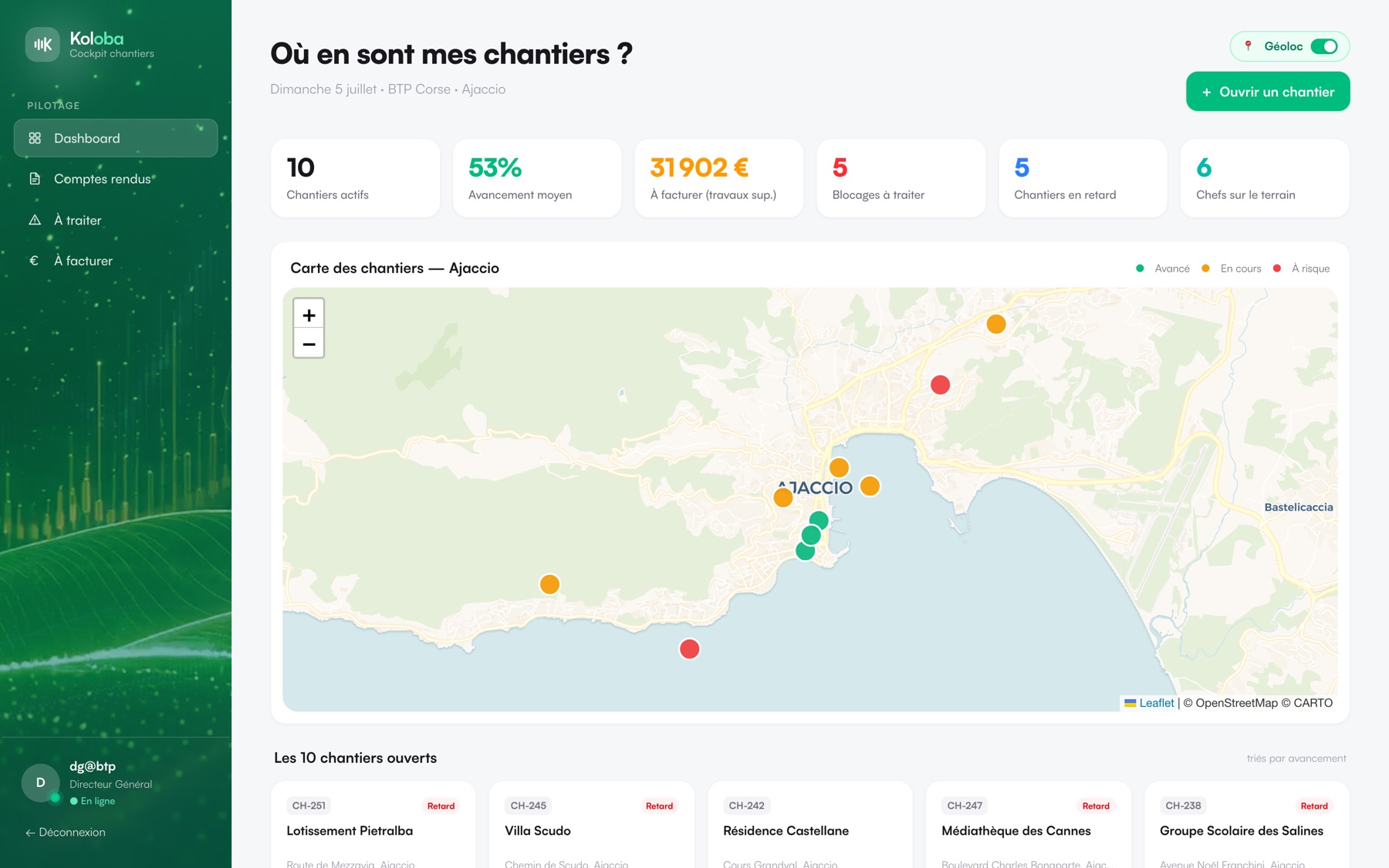
- The manager reviews progress, open issues and follow-up actions.
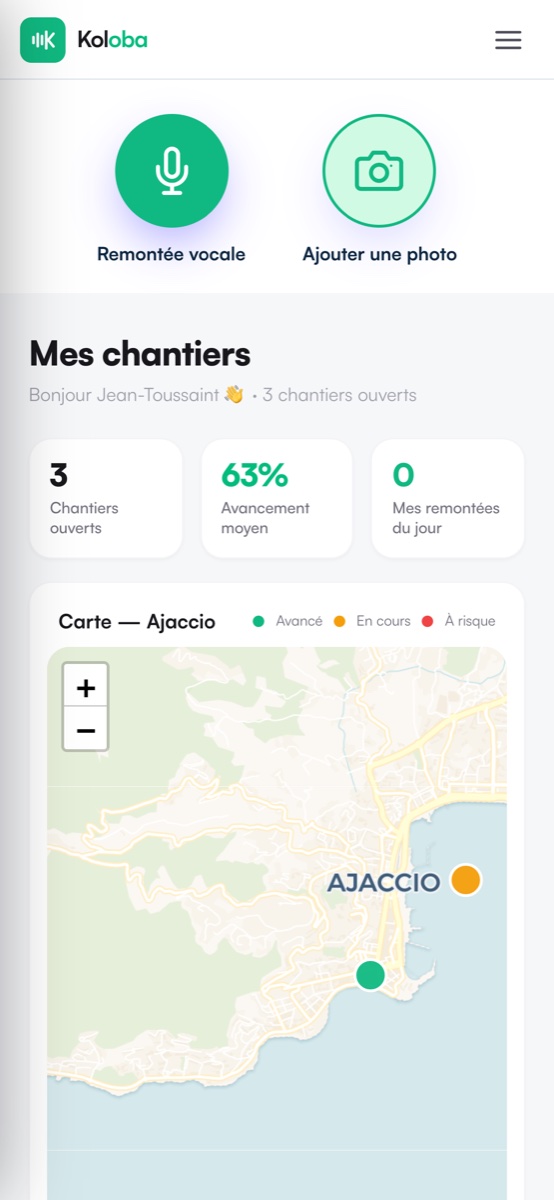
A view of what matters
- Progress: find completed work and next steps.
- Blockers: identify what needs an answer or intervention.
- Additional work: track requests and how they are handled.
From reporting to invoicing
Additional work reported on site enters a tracking workflow. Pricing, approval and invoicing remain separate decisions.
- Reported
- To be priced
- Approved
- Invoiced
Your team makes the decisions
Managers review important information and approve amounts, client commitments and invoicing steps. Languages, access and connections to your tools are agreed with you.
Discuss your sites All work